Table of contents
Within 72 hours of the ITC request, the former association must respond and deliver the ITC to the player’s new association.
Pursuant to FIFA Circular no. 1917 concerning the interim regulatory framework on the RSTP, irrespective of any contractual dispute, and taking due account of the principle of sporting integrity and the applicable registration periods, a player will always be able to move to a new association and continue their career with a new club. In all cases, the issuance of an ITC will be without prejudice to any contractual dispute between the parties. Even if a former association immediately delivers an ITC, this has no effect whatsoever on a club’s right to file a contractual claim against the player in question and/or their new club.
Note: In exceptional circumstances, the player, the former association, or the new association may request FIFA’s intervention by emailing regulatory@fifa.org. The ability to request such an intervention is intended only for exceptional cases in which, for example, an ITC request is made without a player’s knowledge, or in a way that is abusive towards a player.
Delivering the ITC
To respond to the ITC request, search for the relevant transfer and click on “Update ITC details”.
Scroll to the bottom of the transfer summary and click on “Deliver ITC”. Your Member Association can request cancellation only if the transfer contains incorrect information (see “Cancelling transfers”).
Note: For transfers completed before 16 November 2022, the former association must also upload the player passport when delivering the ITC to the new association. For the purposes of the Regulations, the player passport is not the player’s travel identification document, but rather a document containing the player’s registration records since the age of 12.
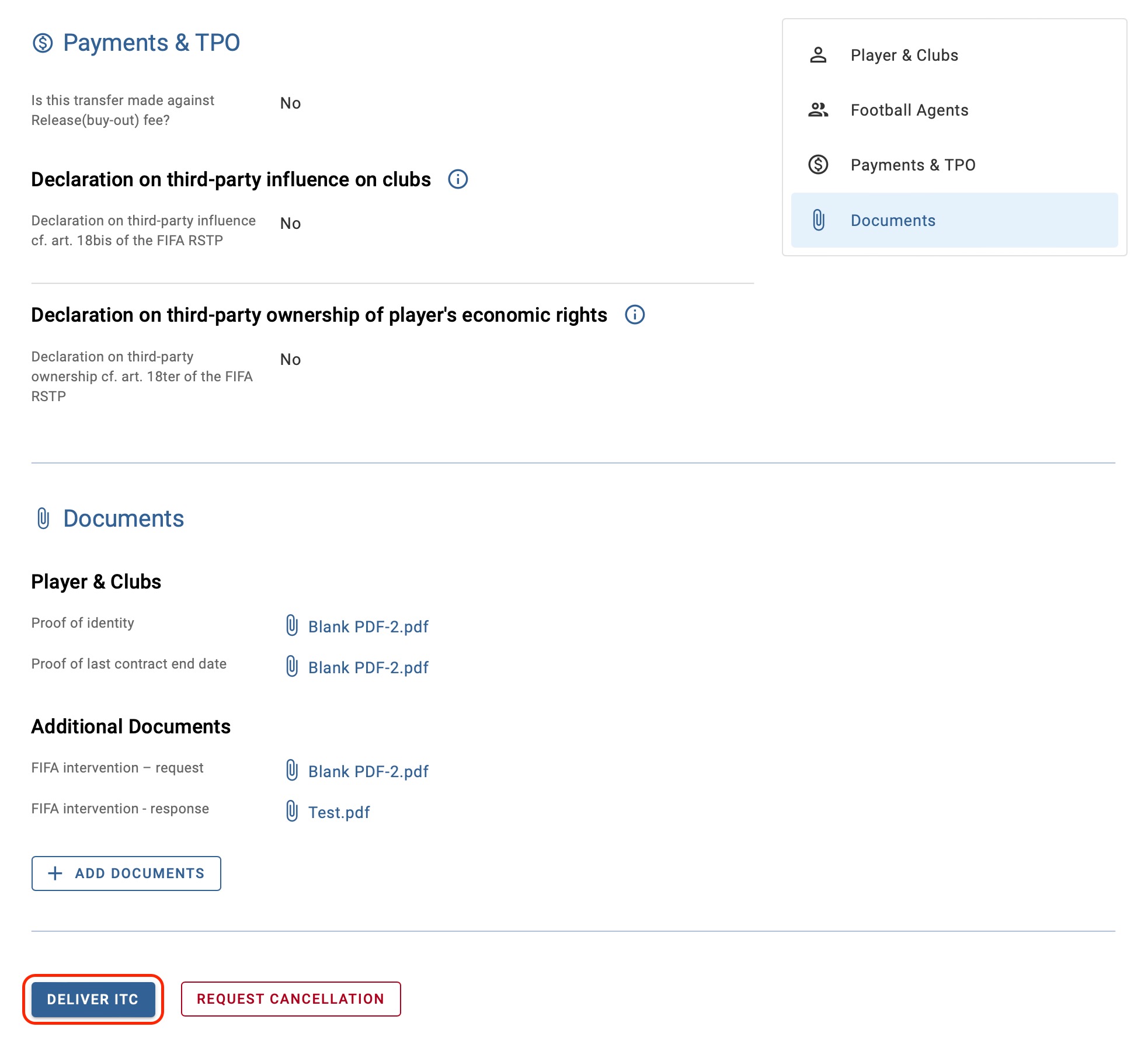
Delivering the ITC in professional transfers
Enter the player’s deregistration date and upload any documentation relating to pending sporting (disciplinary) sanctions. Then click “Deliver ITC”.
Note: If pending sporting sanctions are not declared when the ITC is delivered, Member Associations may still upload the sporting sanctions document after the transfer is completed.
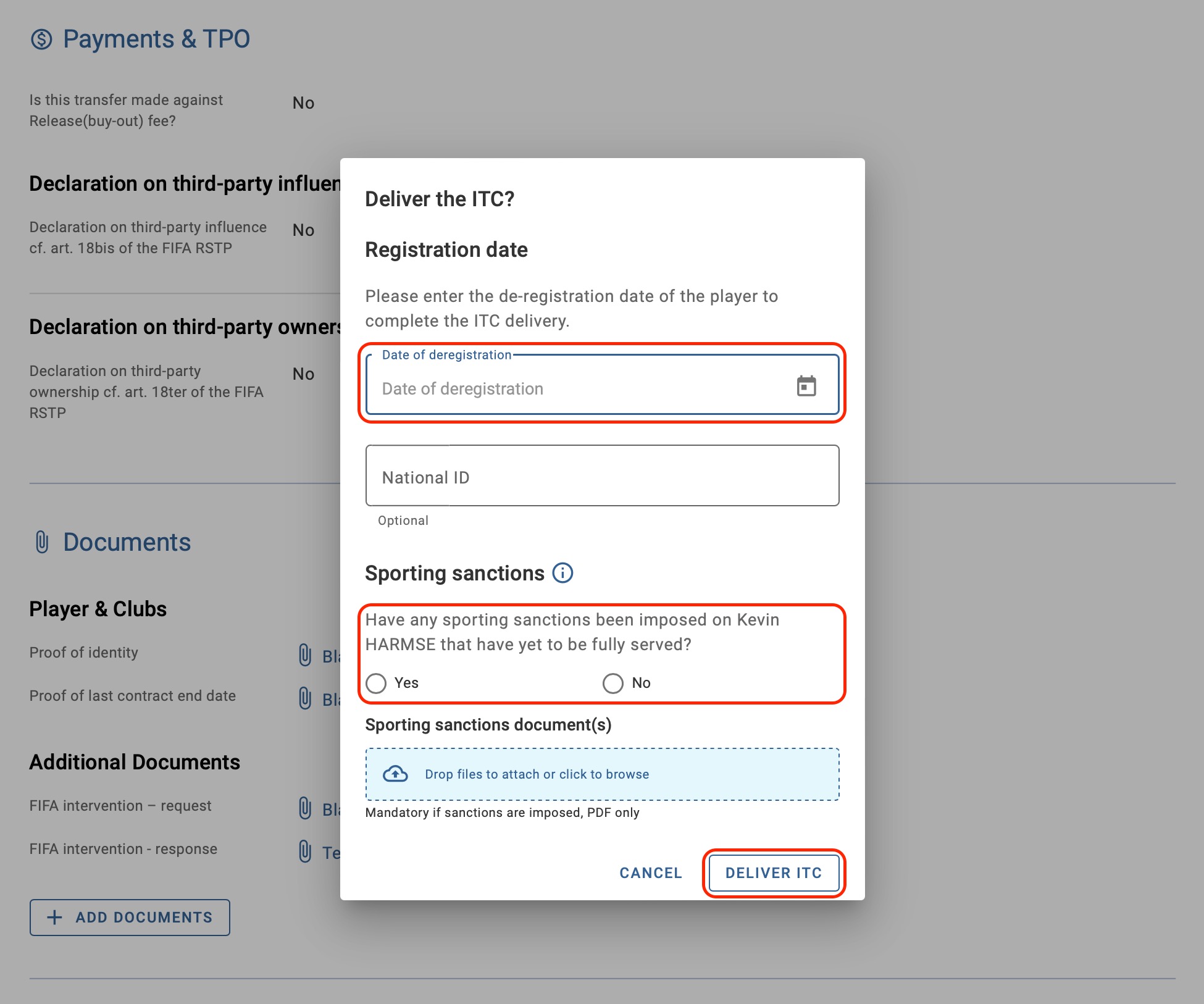
Once you have delivered the ITC, the transfer status will change to “Awaiting ITC receipt”. The electronic document is generated in ITMS and is only viewable by Member Associations until the ITC process is finalised.
Delivering the ITC in amateur transfers
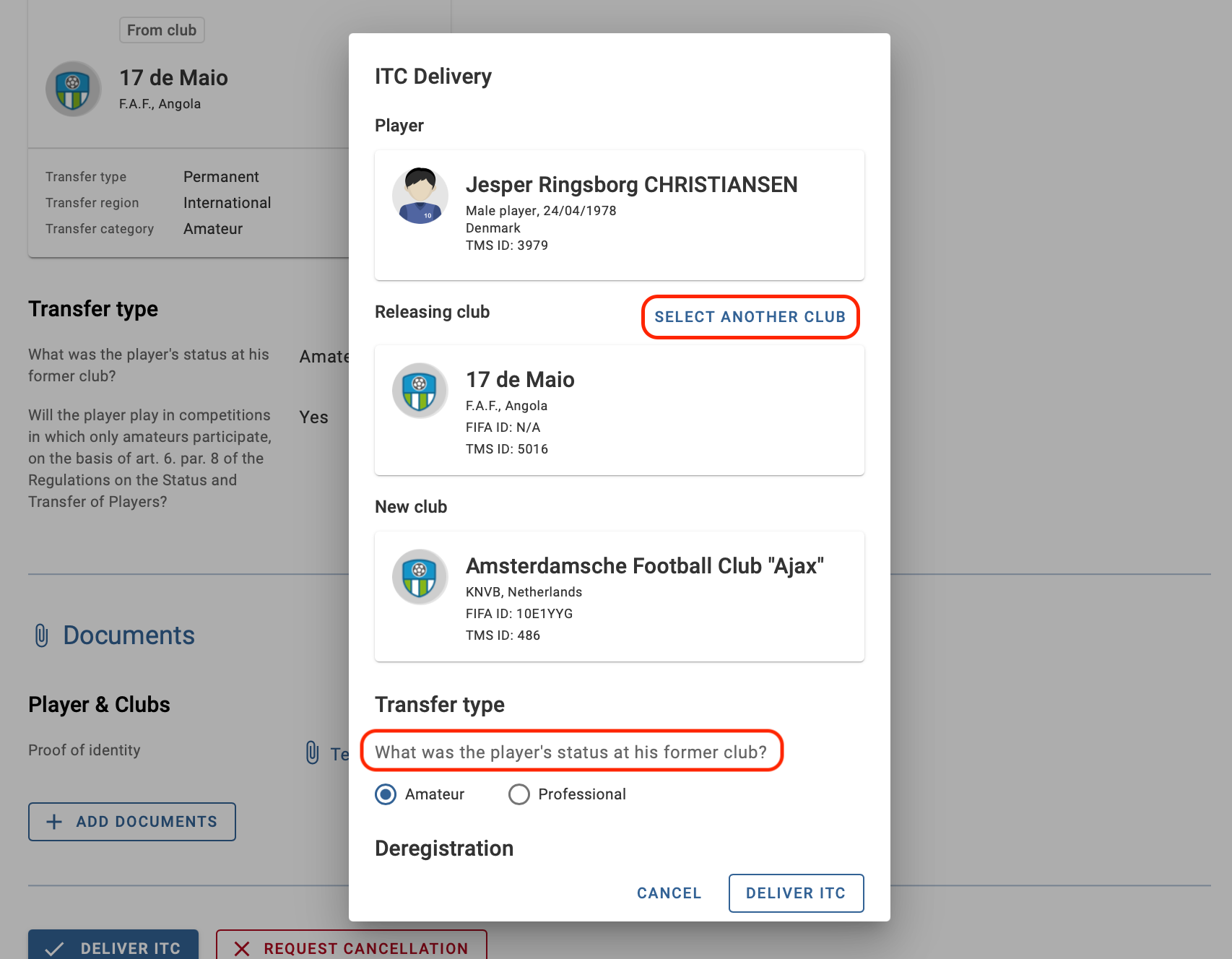
Verify that the player’s releasing club and their status at the former club are correct. You must edit these fields during the ITC delivery if they contain incorrect information. The information entered by the releasing Member Association at the time of ITC delivery is saved in the transfer instruction and cannot be subsequently edited or disputed by other parties in the transfer.
Note: as the Member Association can update these fields, it is not possible to request cancellation on the basis that they contain incorrect information.
To edit the releasing club, click “Select another club” and use the FIFA ID to search for the correct club to reflect in the instruction. If the club is not yet listed in TMS, you will have the option to import the club, as long as the organisation is registered with your Member Association and is assigned a FIFA ID.
For the player’s status at their former club, you can update the selection to reflect the correct player status.
Enter the player’s deregistration date and upload any documentation relating to pending sporting (disciplinary) sanctions. Then click “Deliver ITC”.
Note: If pending sporting sanctions are not declared when the ITC is delivered, Member Associations may still upload the sporting sanctions document after the transfer is completed.
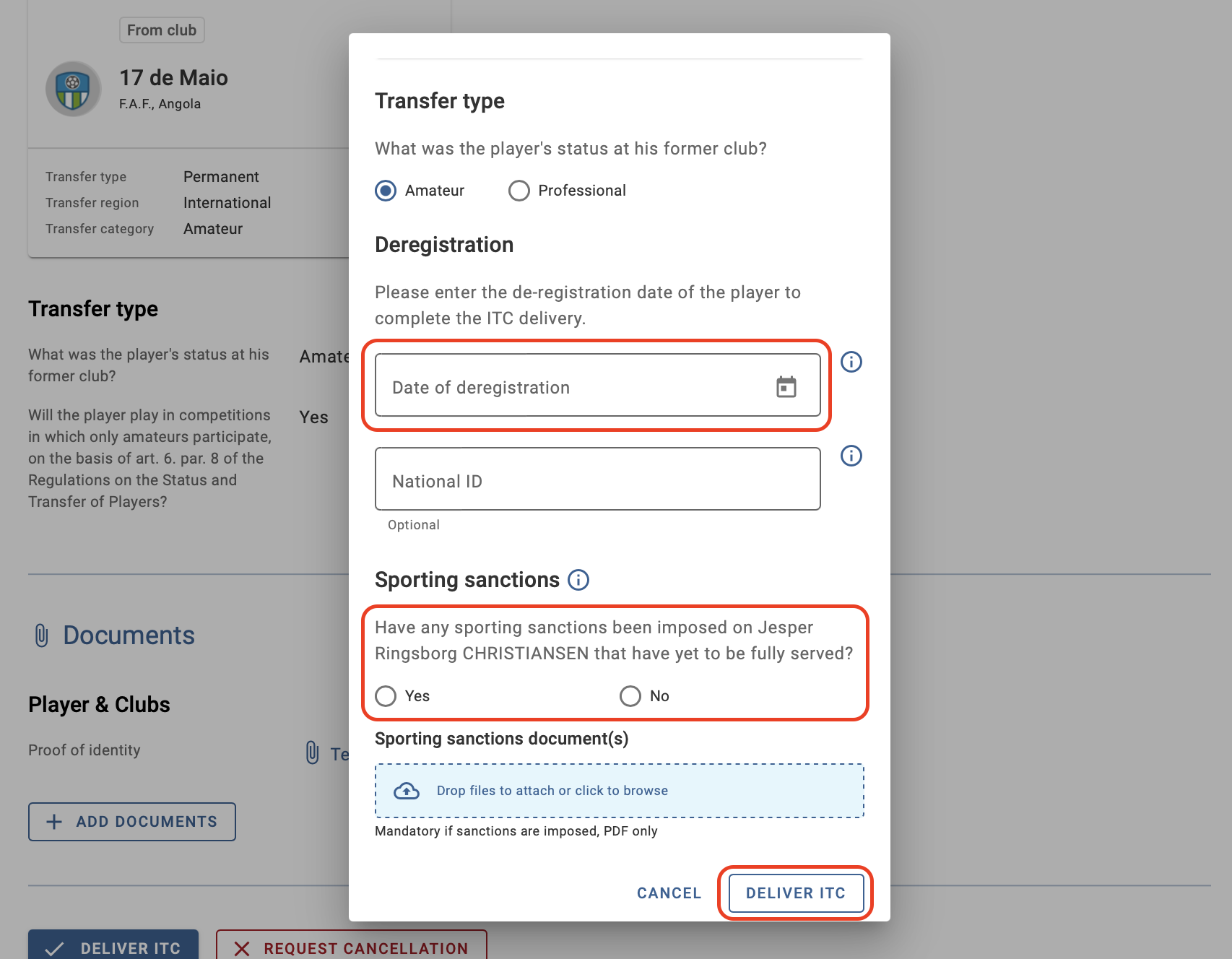
Once you have delivered the ITC, the transfer status will change to “Awaiting ITC receipt”. The electronic document is generated in ITMS and is only viewable by Member Associations until the ITC receipt and player registration are finalised.
Not responding to the ITC request
If the new association does not receive a response to the ITC request within 72 hours of the request, the transfer status will change to “Awaiting Registration Confirmation”, allowing the new association to immediately register the player with the new club.
For more information on this topic, see the “Confirm registration (without ITC)” section.